How to Export and Share Your Criei AI Design Projects
You've Created Something Great - Now What?
You've described your vision, refined the design through conversation, and now you're looking at a polished mobile app, web app, or landing page on your criei.ai canvas. The next question: how do you get it out of the tool and into the real world?
Whether you want to share a design with a client, hand it off to a developer, present it in a meeting, or use it as the foundation for a real project, criei.ai gives you several ways to export and share your work.
Understanding Your Export Options
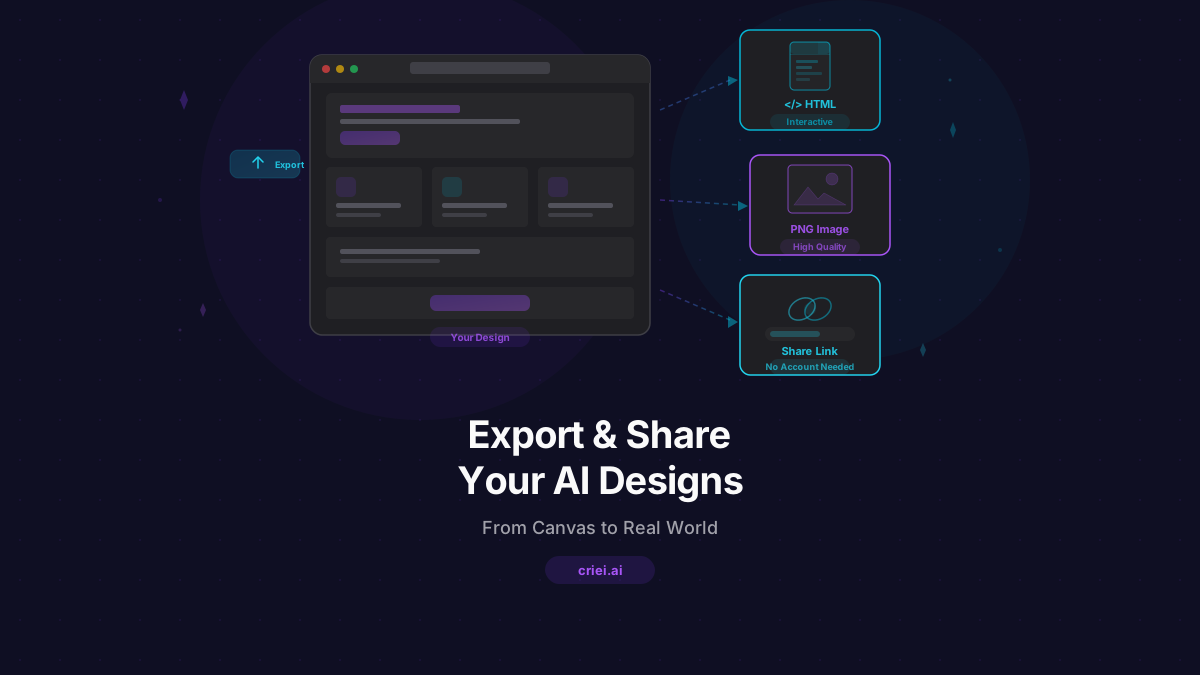
HTML Export
Every design in criei.ai is built with real HTML, CSS, and JavaScript. When you export as HTML, you get a self-contained file that opens in any web browser. This is the highest-fidelity export - it preserves every animation, hover effect, and responsive behavior exactly as you see it on the canvas.
Best for:
- Sharing interactive prototypes with clients
- Handing off to developers as a reference
- Hosting as a real landing page
- Presenting designs in meetings (just open the file)
How to use it:
- Open your project in the canvas view
- Click the export button in the toolbar
- Select "Export as HTML"
- The file downloads immediately - open it in any browser
Image Export
Sometimes you need a static snapshot. Image export captures your design as a high-quality PNG - perfect for presentations, proposals, social media, and documentation.
Best for:
- Including in slide decks and presentations
- Adding to client proposals and documents
- Sharing on social media
- Creating design documentation
Sharing Links
Share your project with anyone by sending them a link. They can view the design in their browser without needing a criei.ai account.
Best for:
- Getting quick feedback from clients or team members
- Sharing work in progress
- Including in emails and messages
Export Tips for Different Use Cases
For Client Presentations
When presenting to clients, the HTML export is your best friend. Open the file in a browser and present it full-screen. The client sees exactly what the final product could look like - interactive, responsive, and polished.
Pro tip: Export at the specific size your client cares about. If they're reviewing a mobile app, show it at phone dimensions. If it's a landing page, show it on a full desktop viewport.
For Developer Handoff
Developers appreciate clean, readable code. When you export HTML from criei.ai, the code is well-structured and uses modern CSS (Tailwind classes). A developer can use this as:
- A pixel-perfect reference - exactly what the final product should look like
- A starting point - copy the HTML structure and styles into their project
- A component guide - see the color palette, typography, spacing, and layout patterns
Pro tip: Include notes in your project's chat history about design decisions, interactions, and edge cases. When you share the project link with a developer, they can see the full conversation and understand the intent behind each design choice.
For Social Media and Marketing
If you're using criei.ai to create designs for social media or marketing, the image export gives you ready-to-post graphics. Export your design, and upload it directly to Instagram, LinkedIn, Facebook, or your marketing platform.
Pro tip: Design with the target platform dimensions in mind. Mention "Instagram post dimensions" or "Facebook cover photo size" in your prompt to get the right aspect ratio.
For Design Portfolios
If you're a designer or agency using criei.ai to create concepts, export both HTML (for interactive portfolio pieces) and images (for portfolio thumbnails and case studies). This gives potential clients both the overview and the deep dive.
Making the Most of Multiple Screens
If your project has multiple screens (common with mobile apps and web apps), each screen can be exported individually. This is useful when you need:
- Individual screen images for a presentation
- Specific screens for marketing materials
- A complete set of screens for developer reference
You can also export all screens at once for a comprehensive project package.
From Export to Production
criei.ai designs are meant to be a powerful starting point. Here's how different users take their exports to the next level:
Small Business Owners
Export the HTML and use it as a landing page. Many hosting platforms (Netlify, Vercel, GitHub Pages) let you upload an HTML file and have a live website in minutes.
Entrepreneurs
Use the exported designs as specs for your development team. The HTML shows exactly what the product should look like, eliminating miscommunication between design and development.
Marketers
Export images for campaigns, social media, and presentations. The speed of criei.ai means you can create and export new campaign visuals in the time it takes to write the brief.
Developers
Use the exported HTML as a component reference. Extract the color palette, typography scale, spacing values, and layout patterns to build the production version.
Tips for Better Exports
- Review before exporting - zoom in and check every screen for details you want to adjust
- Use descriptive project names - the export file name comes from your project name
- Export multiple formats - HTML for interactivity, images for documentation
- Keep the project link - you can always come back to refine and re-export
What's Coming Next
We're constantly improving the export experience. Stay tuned for new export formats and sharing features that make it even easier to go from AI design to real-world product.
In the meantime, the current export options cover the most common use cases - from quick client shares to detailed developer handoffs. Try criei.ai and create something worth exporting.
The best design in the world doesn't matter if it stays in the tool. Export your criei.ai designs and put them to work - in presentations, on the web, in your portfolio, or in your next product. Get started today.