Before and After Portfolios: Showcase Work with AI
Your Work Speaks - But Only If People See It
You've spent years perfecting your craft. Kitchen renovations, bathroom remodels, deck builds, landscaping transformations - every project tells a story of skill and dedication. But here's the problem: most of that incredible work lives only on your phone's camera roll.
When a potential client is deciding between you and three other contractors, the one who shows their work professionally wins. A polished portfolio isn't just nice to have - it's the difference between getting the call and getting passed over.
Why a Digital Portfolio Matters
Word of mouth still matters in contracting, but the referral process has changed. When someone recommends you, the first thing the potential client does is search for you online. What do they find?
If the answer is a basic Facebook page with inconsistent photos, or worse, nothing at all - you're losing credibility before you even pick up the phone.
A professional digital portfolio shows potential clients:
- The quality and range of your work
- Your attention to detail and craftsmanship
- That you're an established, legitimate business
- The transformation your services deliver (before → after)
How AI Design Tools Help Contractors
With criei.ai, you don't need to hire a web designer or learn WordPress to build a professional portfolio. Describe what you want in plain English, and the AI creates it - a complete website, app, or landing page ready to share with clients.
Here are five types of designs that help contractors win more work.
1. Before-and-After Project Gallery
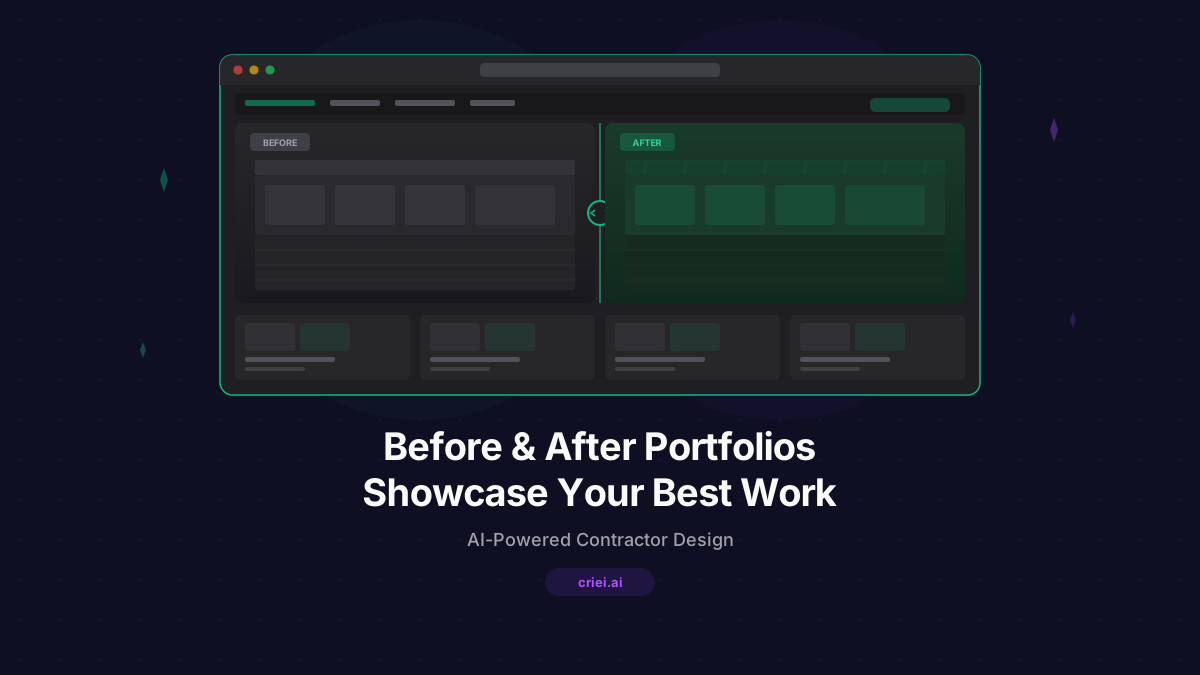
Nothing sells renovation work like dramatic before-and-after comparisons. Create a dedicated gallery that showcases your best transformations with descriptions of the work done.
Example prompt for criei.ai:
"A web app portfolio for 'Summit Home Renovations'. Clean, modern design with dark charcoal and white. Pages: Home with hero showcasing a dramatic kitchen renovation before-and-after, About with company history and certifications. Projects page with a grid of project cards, each showing before and after photo placeholders, project type, and brief description. Individual project detail page with full before/after gallery, scope of work, timeline, and client testimonial. Contact page with form and service area map placeholder."
2. Service-Specific Landing Pages
Create dedicated landing pages for each type of service you offer. When a homeowner searches for "kitchen remodel contractor near me," you want a page that speaks directly to that need.
Example prompt:
"A landing page for a kitchen remodeling contractor. Professional design with slate blue and white. Sections: hero with headline 'Transform Your Kitchen' and a before-after photo comparison, process overview with 4 steps (consultation, design, build, reveal), gallery section with 6 project thumbnail placeholders, pricing info with 'Starting from' ranges for different kitchen sizes, testimonials from satisfied homeowners, and a contact form with 'Get Your Free Estimate' CTA. Trustworthy and professional feel."
3. Client Estimate Presentations
Instead of sending a plain text email or PDF with your estimate, send a polished presentation page. It positions you as a professional and makes your bid stand out.
Example prompt:
"A landing page estimate presentation for a home renovation contractor. Clean, professional design with navy and gold accents. Sections: header with contractor logo and client name, project overview with scope description, detailed breakdown section with line items for demolition, materials, labor, and finishes - each with descriptions. Timeline section with project phases and estimated dates. Terms and conditions section. Call-to-action with 'Accept Estimate' button. Include photo placeholders for reference projects."
4. Mobile Portfolio App
Have your portfolio ready to show anytime, anywhere. When you're at a networking event, a chance meeting, or even at the hardware store and someone asks what you do - pull up your app.
Example prompt:
"A mobile portfolio app for 'Blue Ridge Builders'. Rustic-modern design with warm wood tones and forest green accents. Screens: Home with hero image and tagline 'Craftsmanship You Can Trust', Services list with icons for Kitchens, Bathrooms, Decks, Additions, Whole-Home Remodels. Project Gallery with filterable grid of before/after cards. Individual project screen with photo slideshow, project details, and client review. About screen with team photo, years in business, and licenses. Contact screen with form and phone number."
5. Seasonal Promotion Pages
Drive business during slower seasons with promotional landing pages. Offer seasonal discounts, highlight relevant services, and capture leads.
Example prompt:
"A landing page for a contractor's spring renovation special. Fresh, energetic design with green and white. Sections: hero with 'Spring Into Your Dream Home - 15% Off All Renovations in April', featured services with kitchen, bathroom, and deck renovation cards, limited-time offer countdown placeholder, before-and-after showcase section, booking section with calendar placeholder and 'Schedule Free Consultation' button, and testimonials. Urgent but trustworthy tone."
What Makes a Contractor Portfolio Effective
Show Transformation
Before-and-after photos are your secret weapon. They tell the complete story in a glance - the problem, your solution, and the dramatic result. Every project in your portfolio should emphasize the transformation.
Include Specifics
Don't just show a pretty kitchen. Mention that it was a 200-square-foot galley kitchen converted to an open-concept layout with custom cabinetry, quartz countertops, and under-cabinet lighting. Specifics prove expertise and help potential clients imagine their own project.
Feature Testimonials
Client reviews placed alongside the relevant project photos create powerful social proof. "Dave transformed our dated 1970s bathroom into a modern spa-like retreat. On time and on budget." - that's gold for a contractor portfolio.
Make Contact Easy
Every page should make it dead simple to get in touch. Phone number, contact form, email - make sure it's prominent and not buried at the bottom.
Building Your Portfolio With AI
The old way: hire a web designer ($2,000–$5,000), wait weeks, get something generic, pay again every time you want to update it.
The new way: describe your portfolio to AI, get a professional design in minutes, refine it with conversation, and update it whenever you have new project photos. At $19/month for 50 credits, you can create multiple designs and keep refreshing your portfolio as your business grows.
Visit criei.ai/for-contractors to see contractor portfolio examples and start building yours today.
The contractors who win the best jobs are the ones who present their work professionally. A polished portfolio isn't an expense - it's an investment that pays for itself with the first client it helps you land. Try criei.ai and showcase your best work.