How Real Estate Agents Can Build a Website Without Coding
You Don't Need a Developer to Have a Great Website
Most real estate agents know they need a web presence, but the path to getting one built feels complicated. Hire a developer? Learn WordPress? Use a cookie-cutter template that looks like every other agent's site?
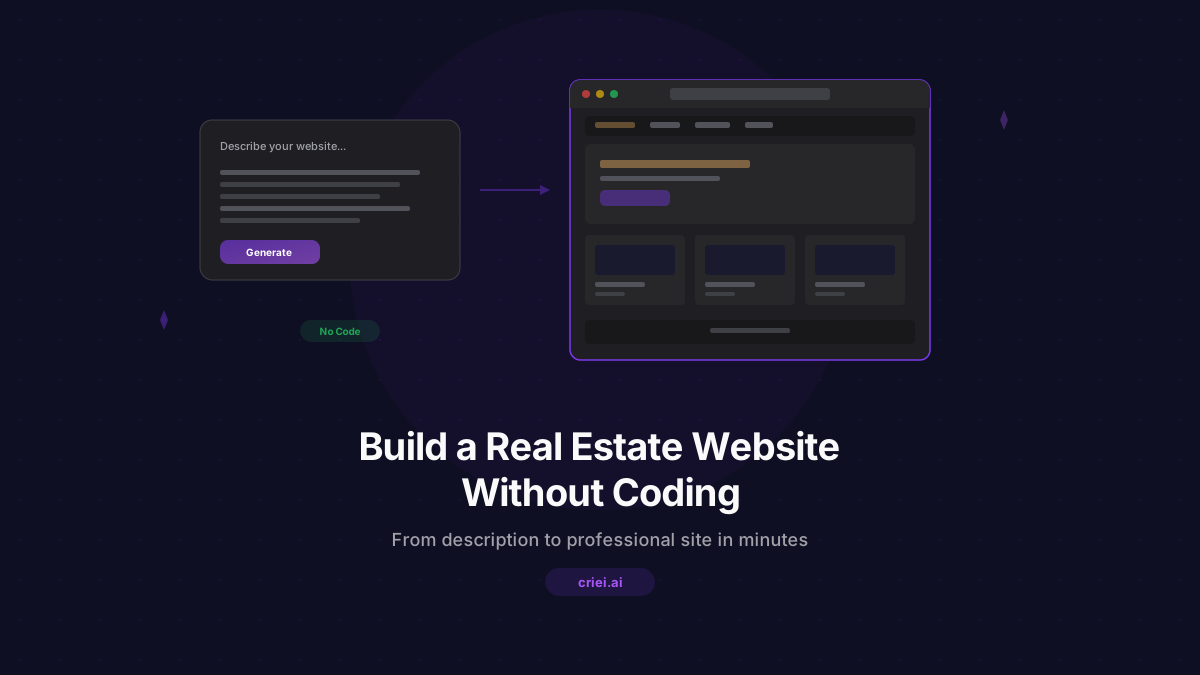
There's a faster way. With AI design tools like criei.ai, you can describe the website you want in plain English and get a fully designed, professional result in minutes. No coding. No design software. No back-and-forth with a freelancer.
This guide walks you through the entire process, from choosing the right format to exporting your finished site.
Step 1: Choose the Right Format
criei.ai offers three formats, and the right choice depends on what you need.
Landing Page
Best for: single-property showcases, open house promotions, lead capture pages
A landing page is a single scrollable page. It's ideal when you want to highlight one property or create a focused marketing page with a clear call to action. Think of it as a digital flyer - everything the visitor needs is on one page.
Web App
Best for: agent portfolio sites, multi-listing showcases, full business websites
A web app has multiple pages with navigation. Choose this when you need an About page, a Listings page, a Testimonials section, and a Contact page - essentially a complete website for your real estate business.
Mobile App
Best for: open house companion apps, property tour experiences, client-facing tools
A mobile app creates a touch-friendly, app-style experience. This is great for interactive tools that clients can use on their phones during property visits.
For most agents building their first website, the Web App format is the best starting point.
Step 2: Write an Effective Prompt
Your prompt is the single most important input. The more specific you are, the better the result. Here's a framework for real estate website prompts:
- State the format - "A real estate web app..."
- Name your business - "...for 'Michael Torres Real Estate'..."
- Describe the pages - "...with Home, About, Listings, Testimonials, and Contact pages..."
- Specify the style - "...clean and modern design, navy blue and white color scheme..."
- Add details - "...Home page has a hero with tagline 'Your Trusted Partner in Denver Real Estate', featured listings grid, and market stats..."
Here's a complete example:
"A real estate agent web app for 'Michael Torres Real Estate' based in Denver, CO. Clean, modern design with a navy blue and white color scheme. Pages: Home page with hero section featuring the tagline 'Your Trusted Partner in Denver Real Estate', a featured listings grid with 3 property cards showing photos, price, beds/baths, and address, and a section with market stats. About page with agent photo placeholder, bio, years of experience, and certifications. Listings page with a filterable grid of property cards. Testimonials page with client reviews and star ratings. Contact page with a form, office address, phone number, and a map placeholder."
This kind of detail gives the AI everything it needs to generate a complete, realistic website.
Step 3: Review and Refine
After the AI generates your site, you'll see all the pages laid out on the canvas. Browse through each one and decide what needs adjusting. Common refinements include:
- Changing colors - "Change the primary color to forest green"
- Adjusting content - "Update the hero tagline to 'Luxury Living in the Heart of Denver'"
- Adding sections - "Add a section about the neighborhoods I serve: Highland, LoDo, and Cherry Creek"
- Removing elements - "Remove the market stats section from the home page"
- Changing layout - "Make the listings grid show 2 columns instead of 3"
You can make these changes by selecting a screen and sending a follow-up message. The AI will regenerate that specific screen while keeping the rest of your site intact.
Step 4: Customize Your Branding
Consistency is what makes a website look professional. Focus on these branding elements:
- Colors - Pick two or three colors that represent your brand. If your brokerage has brand guidelines, use those. Mention them explicitly in your prompts.
- Typography feel - Words like "modern," "elegant," "bold," or "friendly" guide the AI's font and spacing choices.
- Tone of voice - The content the AI generates will match the tone you set. "Luxury and exclusive" produces different copy than "friendly and approachable."
If you already have a logo, you can mention its style in your prompt so the overall design complements it, even though the AI generates placeholder images.
Step 5: Generate Additional Pages or Variations
Need a dedicated page for a specific listing? Create a new project with the Landing Page format:
"A property listing landing page for a 3-bedroom craftsman home at 742 Elm Street, Denver, CO. Listed at $685,000. Sage green and cream color scheme. Hero with large property photo, key stats, a photo gallery section, home features with icons (hardwood floors, updated kitchen, fenced yard, 2-car garage), neighborhood section highlighting proximity to Sloan's Lake, and a contact form to schedule a private showing."
You can create as many individual listing pages as you need - each one gets its own project and can have its own style.
Step 6: Export Your Design
Once you're satisfied with the result, criei.ai lets you export each screen as an HTML file. These are clean, self-contained files that include all the CSS and content. From there, you have several options:
- Share the HTML directly - send it to a developer or hosting service
- Use it as a reference - give it to a web developer as a detailed spec for implementation
- Host it on a simple service - static HTML files can be hosted on platforms like Netlify, Vercel, or even GitHub Pages for free
The exported code is production-quality HTML and CSS - not a wireframe or mockup.
Prompt Templates You Can Copy
Here are ready-to-use prompts. Just replace the bracketed text with your information.
Full Agent Website
"A real estate agent web app for '[Your Name] Realty' in [Your City]. [Color preference] color scheme. Pages: Home with hero tagline '[Your Tagline]' and featured listings, About with bio and credentials, Listings with property cards, Testimonials with client reviews, Contact with form and office info. [Style preference - modern, elegant, bold, etc.] design."
Single Property Page
"A landing page for a [bedrooms]-bedroom [property type] at [address], listed at [price]. [Color scheme]. Hero with property photo, key stats, photo gallery, features list with icons, neighborhood highlights, and contact form to schedule a showing."
Open House App
"A mobile app for an open house at [address]. Screens: Welcome with property info and agent contact, Photo Gallery, Property Details with specs, Floor Plan, Neighborhood info, and Contact to book follow-up. [Color and style preferences]."
Common Mistakes to Avoid
- Being too vague - "Make me a real estate website" will produce a generic result. Details matter.
- Trying to change everything at once - refine one screen at a time for better results.
- Forgetting the call to action - every page should guide visitors toward contacting you. Mention this in your prompt.
- Ignoring mobile visitors - most property searches happen on phones. The web app format produces responsive designs, but you can also create a dedicated mobile app for the best phone experience.
Get Started Today
You don't need to wait weeks for a developer or spend thousands on a custom site. Visit criei.ai/for-real-estate to see real estate examples, then create a free account and start building.
A professional web presence is no longer optional for real estate agents - it's expected. With AI design tools, the barrier to having one is gone. Try criei.ai and build your real estate website in minutes, not months.